Reducing color depth (color downsampling) during screen mirroring sessions helps decrease the amount of data that must be transmitted over the internet (bandwidth usage), which can significantly improve performance and minimize latency over slow or high-latency connections. Although users may notice some color changes and banding, for most EZ-Remote™ applications, maintaining user interface (GUI) fluidity and responsiveness, even under limited and poor network conditions, is considered more critical than achieving full color accuracy.
It is important to take into account that VeEX's EZ-Remote service is a true Remote Control application, in which the instrument and the remote users can be in different parts of a city, rural areas, regions, states, countries, or continents. In many cases, when connectivity is limited, the test set may even be tethered to a cellular phone to give it access to the internet.
 When the test set and the remote user are in the same building, or the user can access the same LAN/WLAN as the test set (for example, directly or via VPN), we recommend using the Web Remote/Access feature instead, to achieve higher image quality. Simply enter the test set’s IP address in a web browser. For remote control only, a standard VNC client can also be used; however, VNC apps provide screen mirroring and control only, with no access to download test reports.
If accurate color representation is critical for a specific application (for example, creating training materials or documenting test procedures), we recommend using the test set’s built-in screen capture feature and/or the Web Remote interface instead.
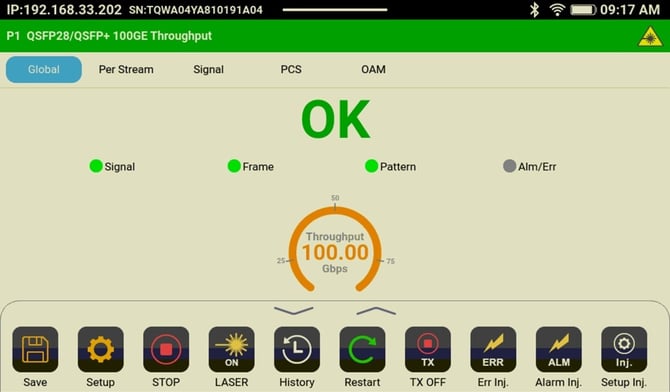
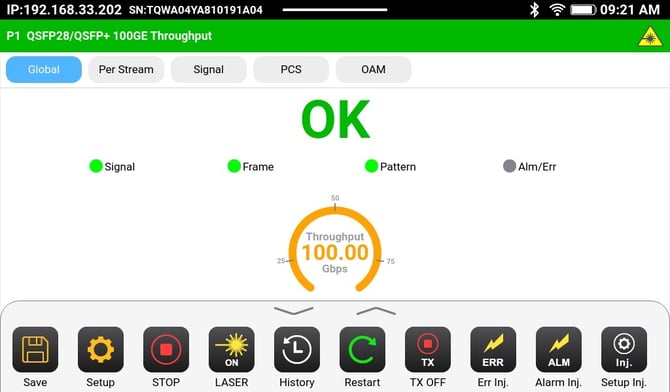
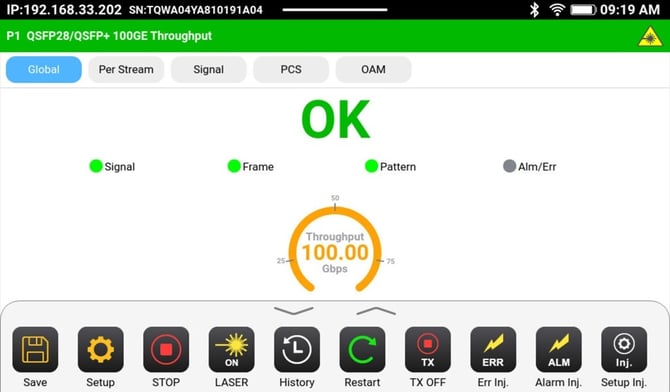
Here are some color depth examples for the same screen:
-
Test Set GUI as seen on its LCD screen (Local)
-
Test Set GUI as seen on Web Remote (over LAN/WLAN/VPN)
-
Test Set GUI as seen on EZ-Remote (over the internet)